You can stop product and marketing emails anytime. Password resets, receipts, and important account messages still send.
-
Open Profile from the Creator Dashboard left menu.
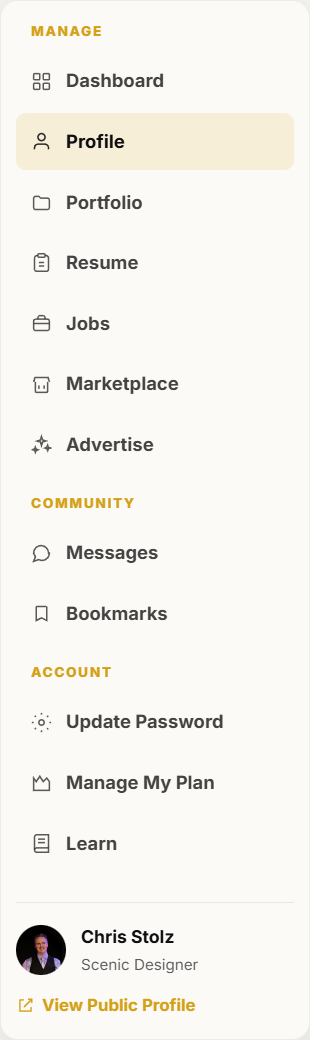
Profile is in the dashboard left menu. -
Scroll to Email preferences.
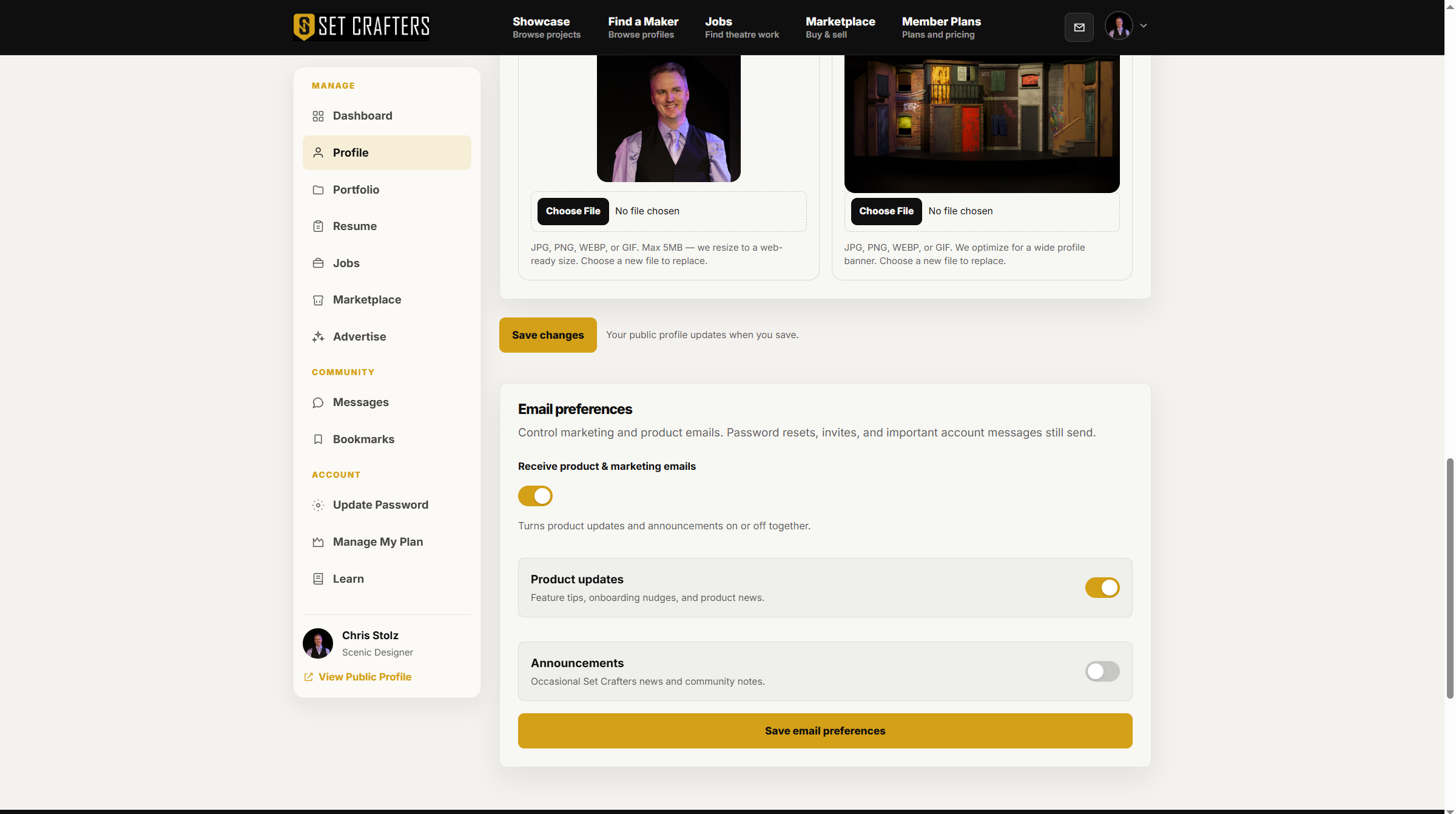
Email preferences sit on the Profile page, below the public profile form. -
Turn off Receive product & marketing emails to stop those emails together. Or uncheck Product updates or Announcements if you only want fewer of one kind.
-
Click Save email preferences.
-
Product and marketing emails also include an unsubscribe link. Use that if you would rather unsubscribe from the email itself.